Real circuits, wired safely
They wire switches, sockets, RCDs and contactors as in the workshop, and the simulator works out the current in every wire. A mistake trips a breaker on the screen, not someone at the bench.
For schools and training centres
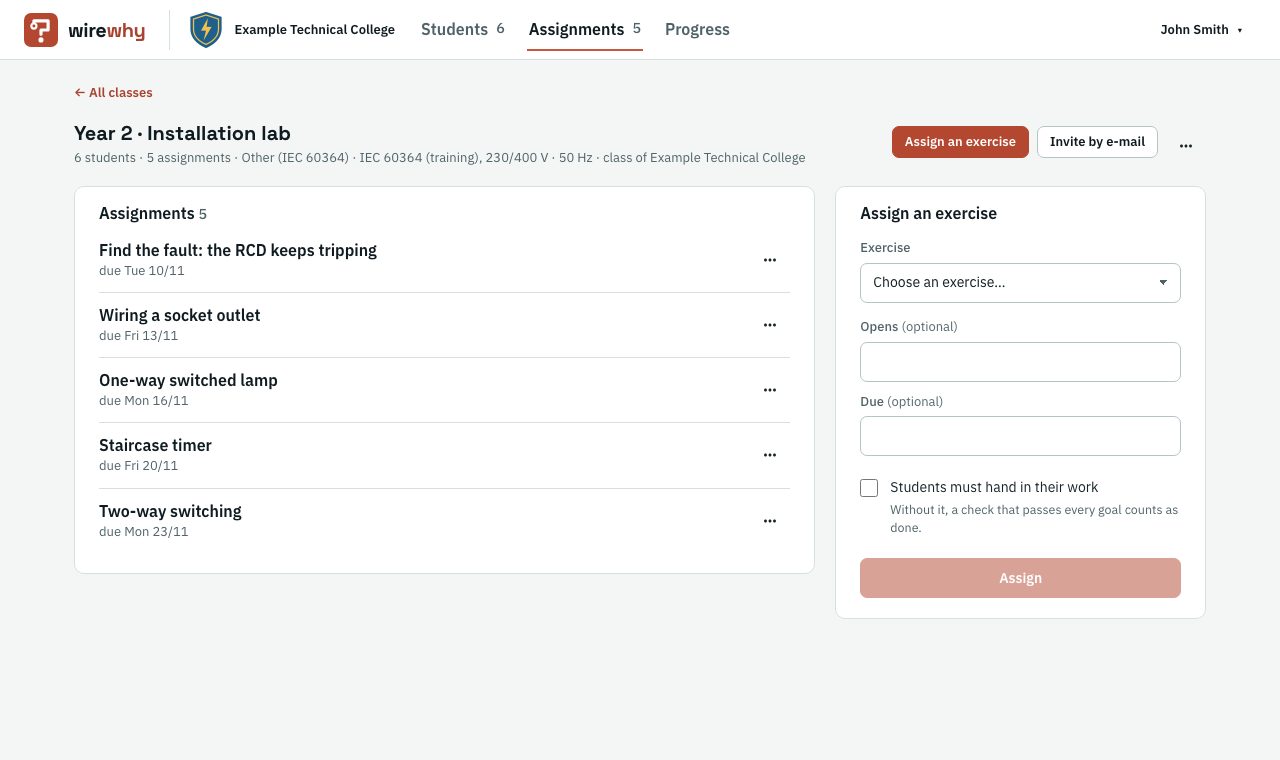
You assign exercises, your students wire them on the simulator, and WireWhy checks every attempt: whether the circuit does what the task asks, and what is wrong in its wiring. You see who has finished, who is stuck, and what the class gets wrong most often.
Every check is made by the server: it simulates the student's circuit, checks the task's goals, and finds wiring mistakes against the standard (IEC 60364, or your country's version of it). What it finds is recorded for the class, in words, never as codes.
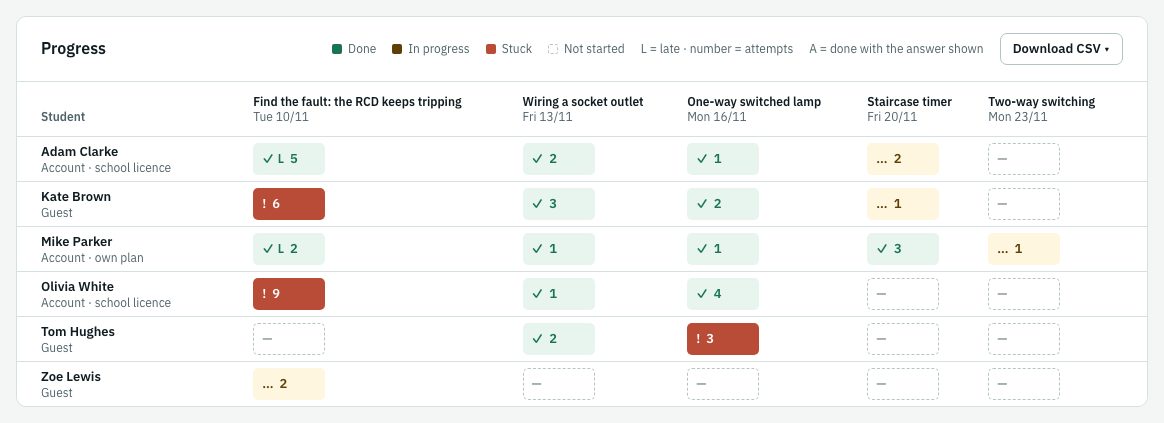
Students down, assignments across. Each cell says whether the work is done, in progress, stuck (three or more failed checks on the same goal), or not started yet, with the number of attempts, whether it came in late, and whether the student looked at the answer.
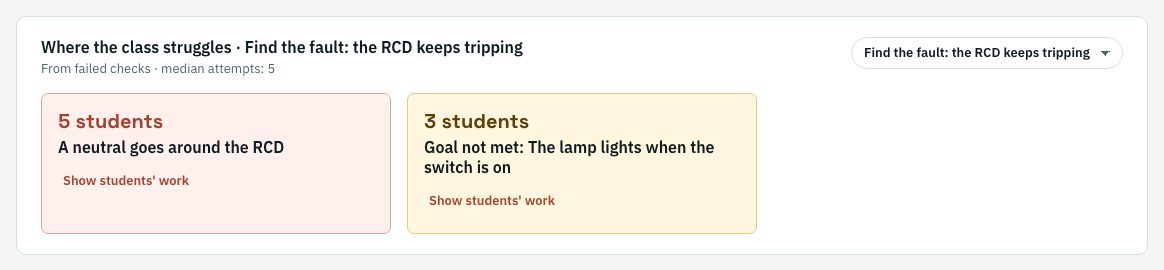
For each assignment WireWhy counts the mistakes in the whole class's failed checks: the three most common, such as "A neutral goes around the RCD: 5 students", and the goal most students fail, with the median number of attempts. "Show students' work" opens those students' circuits one after another. You know what to go over in the next lesson.
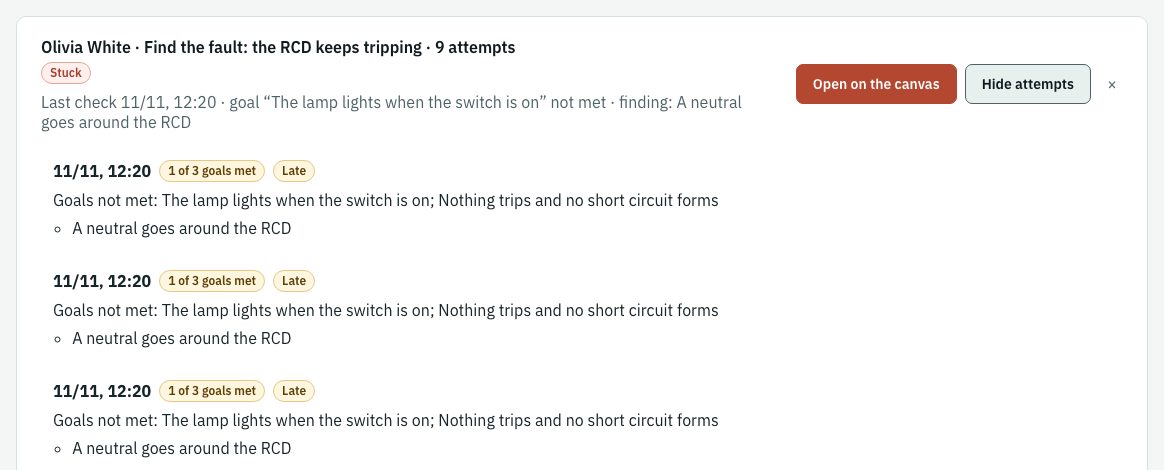
Click a cell: the last check in words, and under it every attempt, with the goals not met, the mistakes the check found, and the hints used.
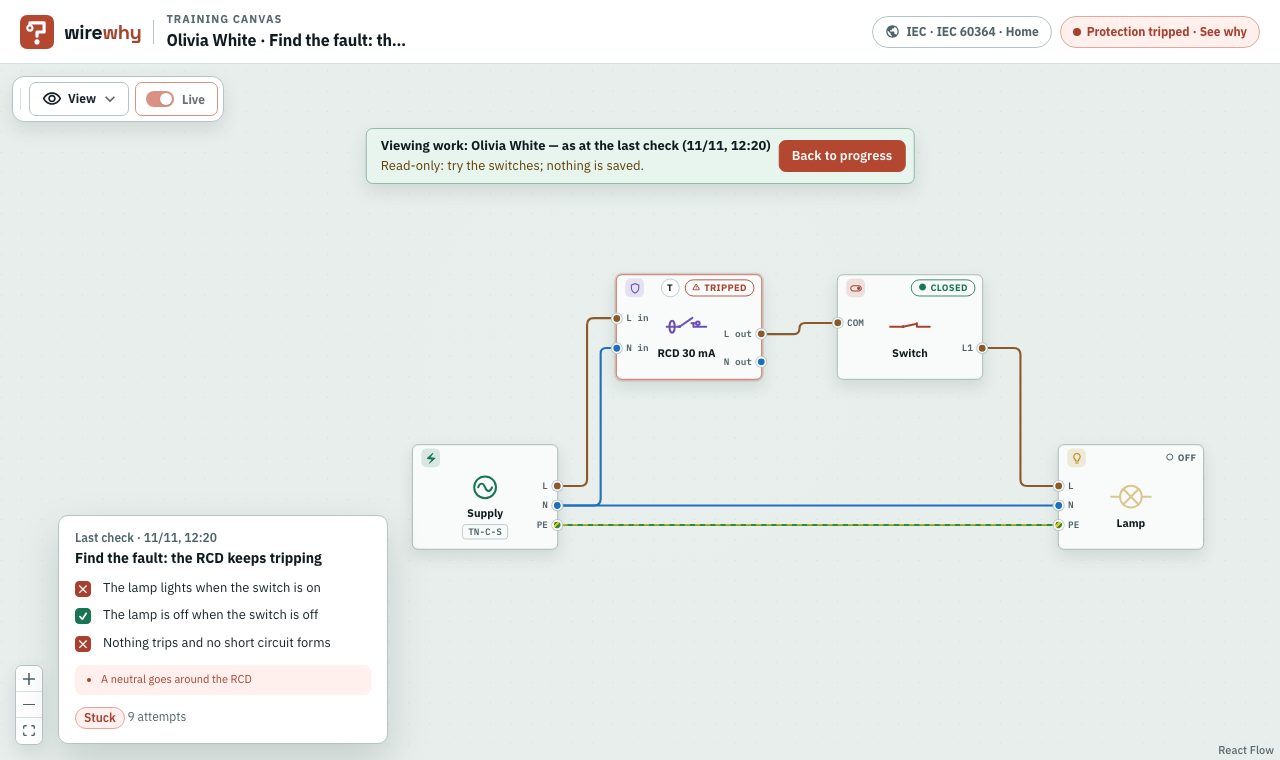
"Open on the canvas" shows the student's circuit exactly as it was at their last check, read-only: switch it and see what trips, but nothing is changed or saved. Your own board comes back when you go back to the progress.
In My classes every student sees their assignments, where each stands, and their own most common mistakes, each with why it is a mistake. They see only their own work: no rankings, ever.

Download the whole class, one assignment, or one student. Mistakes and goals not met are written in words. WireWhy gives no grades and no scores: it shows status, attempts and mistakes, and you give the grade in your own grade book.
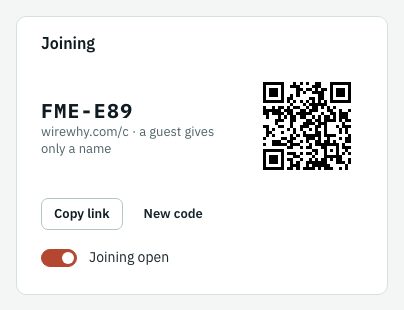
Create a class and your students join it with a code, a link, or a QR code at wirewhy.com/c. Assign a built-in exercise or one of your own from the exercise builder, with an opening date and a due date if you want them.
Read the code aloud or put the QR code on the projector. You can change the code or close joining at any time.
A guest types only a name, and a nickname is fine. Guests do everything that is assigned, and you see their progress the same way. A rejoin code brings a guest back on another device.
An assigned exercise unlocks the devices it needs for the class, motors and control circuits too, even for a student without a plan.
Coming soon
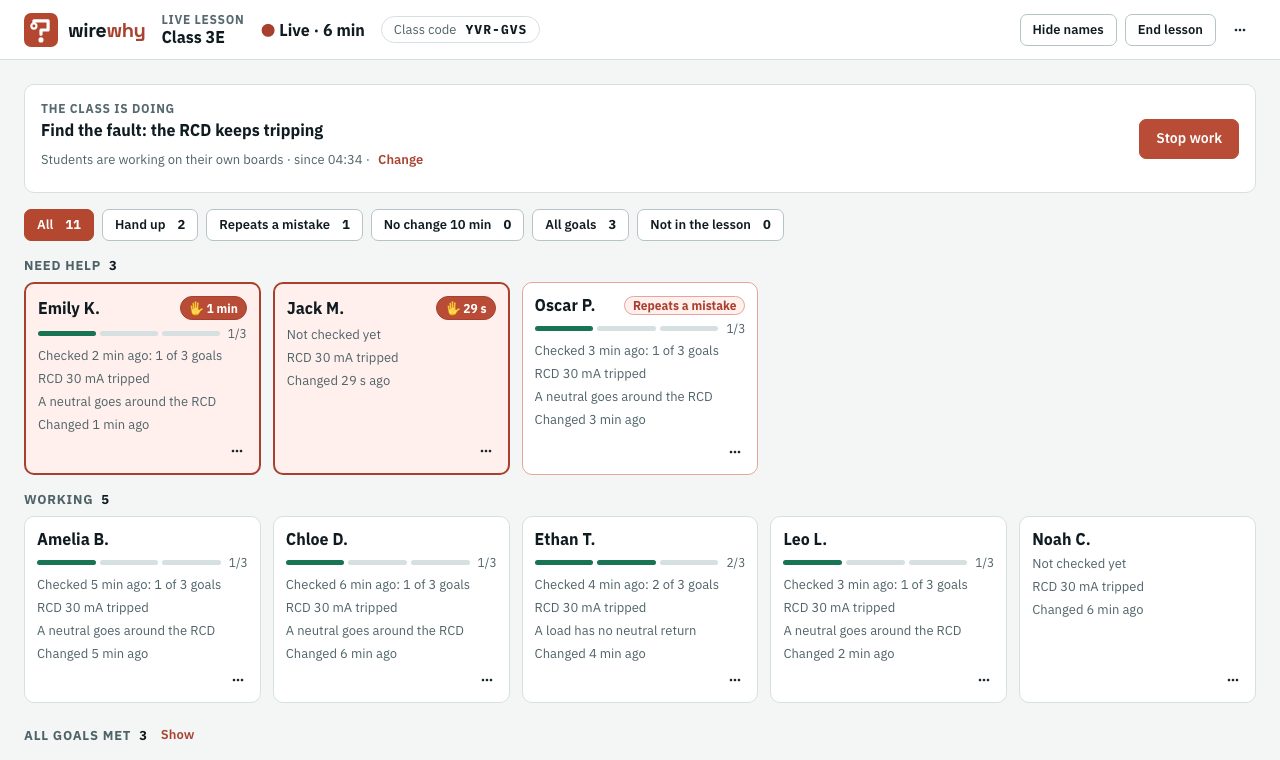
A lab lesson in which every student works on their own board and you watch the whole class at once.
A tile for each student shows the exercise, the goals met, the last check, trips and mistakes, and a raised hand.
Open a student's board live, and stop everyone's work ("pencils down") with their boards saved as they were.
Pin comments to a device or a wire of handed-in work and return it as accepted or to redo. It works for a lesson online too.
They wire switches, sockets, RCDs and contactors as in the workshop, and the simulator works out the current in every wire. A mistake trips a breaker on the screen, not someone at the bench.
Every check says which goal is not met and what is wrong in the wiring, and the circuit shows what tripped and why.
My classes shows each student their most common mistakes, each with why it is a mistake, and where each assignment stands. Their own work only, never a ranking.
At school or at home, on a computer, a tablet or a phone: as many tries as it takes, with no parts used up.
The multimeter and the insulation tester read like real instruments, within their accuracy, and the readings go into the results table.
Boards in the style of the trade exams, and for some a timed mock exam: no hints, one hand-in, marked against the exam's criteria.
A year, by invoice, for a school or a training centre. Students' licences are counted at a time: archiving a class gives its licences back, so a centre runs edition after edition on one licence. Every teacher of the licence has the Teacher plan: classes, assignments, progress, and the exercise builder.
Up to 30 students with Basic at a time, up to 3 teachers.
Up to 90 students with Basic at a time, up to 6 teachers.
Up to 180 students with Basic at a time, up to 10 teachers.
Up to 5 teachers with the Teacher plan; students join their classes as guests.
Price on request: book a call or write to us for a quote. More students: another 30 licences at a time.
For a term or one edition of a course, with the same data processing agreement as a paid licence.
Your logo and name beside WireWhy's in your teachers' class pages and your students' My classes.
Invitations for teachers and students, licences used at a glance, and the move to the new school year.
For the school's classes, the school is the controller of its students' data and WireWhy its processor, under a data processing agreement (Article 28 GDPR) we sign with the licence, the pilot's too. A guest gives only a name; no date of birth is stored anywhere. Data of students holding the school's licence serve only the school's teaching: no marketing, no offers. A class's records are deleted 12 months after it is archived.
Tell us how many students and teachers you have, on a call or by e-mail, and we will send you an offer or set up a free pilot for a term or a course edition.
E-mail: sales@wirewhy.com